 MileCerta
Everything MileCerta does, in one place
From the moment a drive starts to the report you hand your tax preparer. Every feature here is in the current beta.
1 · Capture
Automatic drive detection
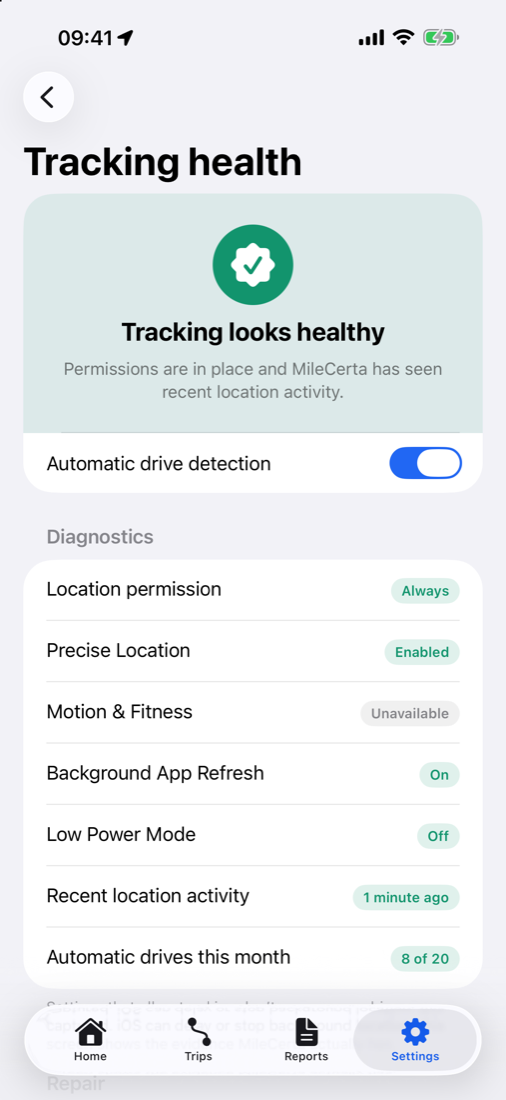
MileCerta uses your iPhone’s motion activity and location in the background to recognise when a drive starts and ends, and measures the distance.
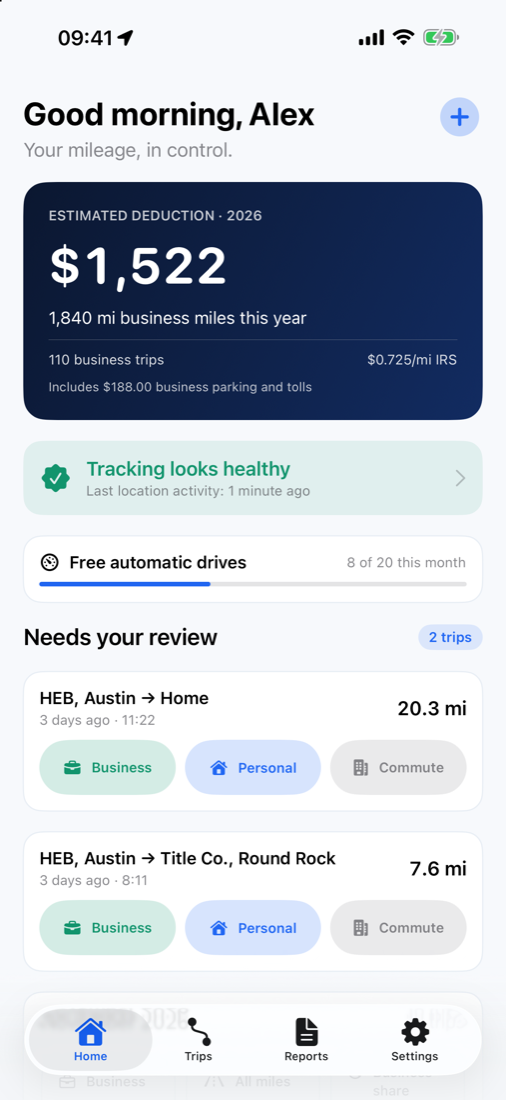
- Tracking health shows each permission and setting that affects detection, recent location activity, and how many automatic drives you’ve used this month, with fixes for anything that’s off
- Capture confidence (high, medium or low) on every automatic trip, so you know which drives deserve a second look
- Manual trips for anything missed, unlimited on every plan and clearly labelled user-entered
- Pause tracking at any time from Settings
Free includes 20 automatic drives a month. Pro removes the limit.
2 · Review
Trip inbox and trip details
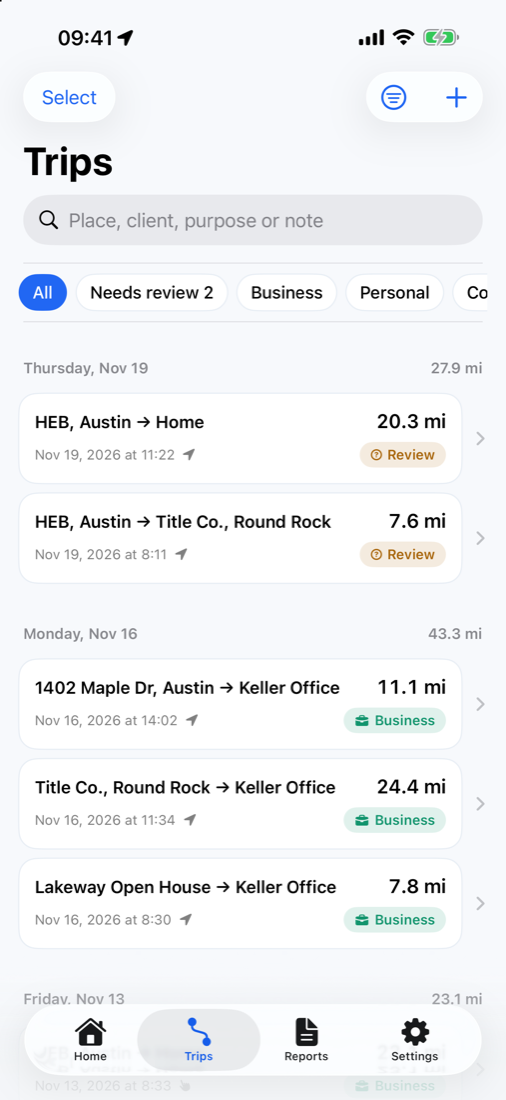
New drives wait in an inbox until you classify them. Swipe to sort, then open a trip to add the details a log needs.
- Swipe to classify as Business, Personal, Commute or Other
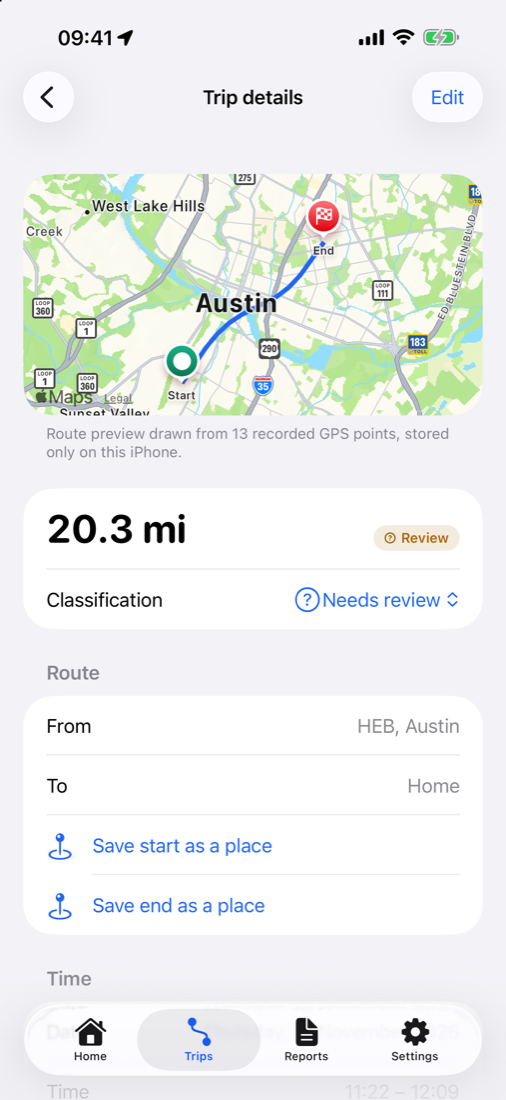
- Details: business purpose, client, notes, parking and tolls
- Round trips: mark a there-and-back drive in one step
- Merge and split when a stop for coffee breaks one drive into two, or two stops end up as one
- Route map previews drawn from recorded GPS points and stored on your iPhone; delete them any time
- Batch review, merge and delete with Pro
3 · Automate
Smart rules
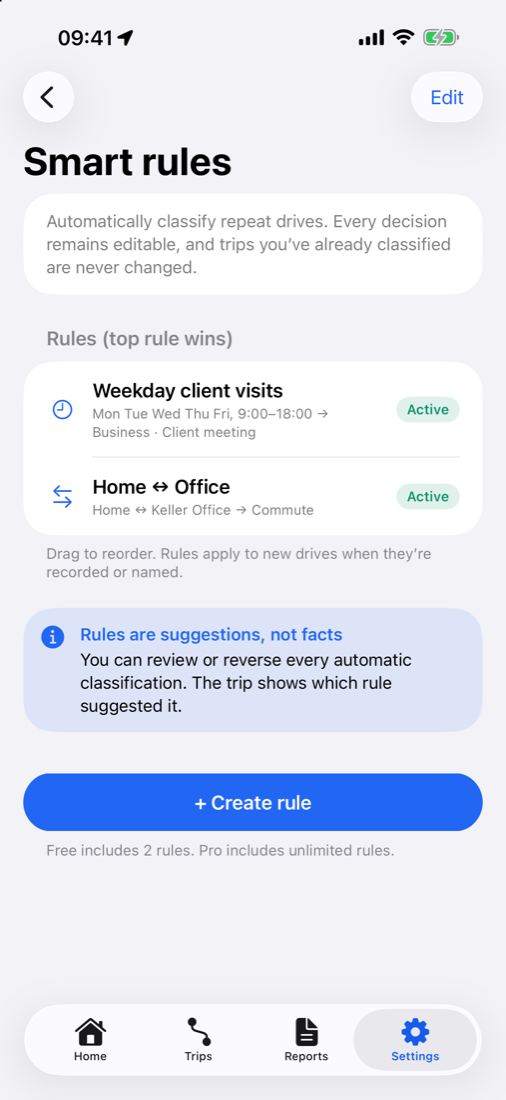
Rules classify repeat drives as they’re recorded, so the inbox only holds the trips that need you.
- Work hours: for example, weekdays 9:00–18:00 → Business, Client meeting
- Route: for example, Home ↔ Office → Commute
- Saved place: any drive to or from a client or supplier
- First match wins. Drag rules to set their order
- Rules apply to new drives. Trips you’ve already classified are never changed, and each trip shows which rule suggested its classification
Free includes 2 rules. Pro includes unlimited rules.
4 · Organise
Saved places and vehicles
The context that turns raw drives into a readable log.
Saved places
Save your office, clients, suppliers and home from any trip’s start or end point. Trips then show names instead of street addresses, and rules can use them.
Vehicles and odometer readings
Add each vehicle you drive for work and record its start-of-year and end-of-year odometer readings, which help show total miles alongside business miles.
5 · Bring your history
CSV import
Switching from another mileage app or a spreadsheet? Bring your trips with you.
- Column matching: tell MileCerta which column is the date, miles, purpose and so on
- Duplicate detection before anything is saved
- Undo any import in one step
From other apps
Export a CSV from your previous mileage tracker and import it in Settings.
From spreadsheets
Save your sheet as CSV. Map the columns, preview, then import.
6 · Report
Reports and exports
Four exports for any tax year, all included on the Free plan.
| Export | What’s in it |
|---|---|
| Tax-preparer PDF | Date, destination, business purpose, miles and deduction for each business trip, with totals |
| Full PDF | Your complete log for the period |
| Mileage CSV | Every trip as a spreadsheet row |
| Audit-history CSV | Every recorded edit, with what changed and when |
7 · Deduction
IRS rates and the deduction estimate
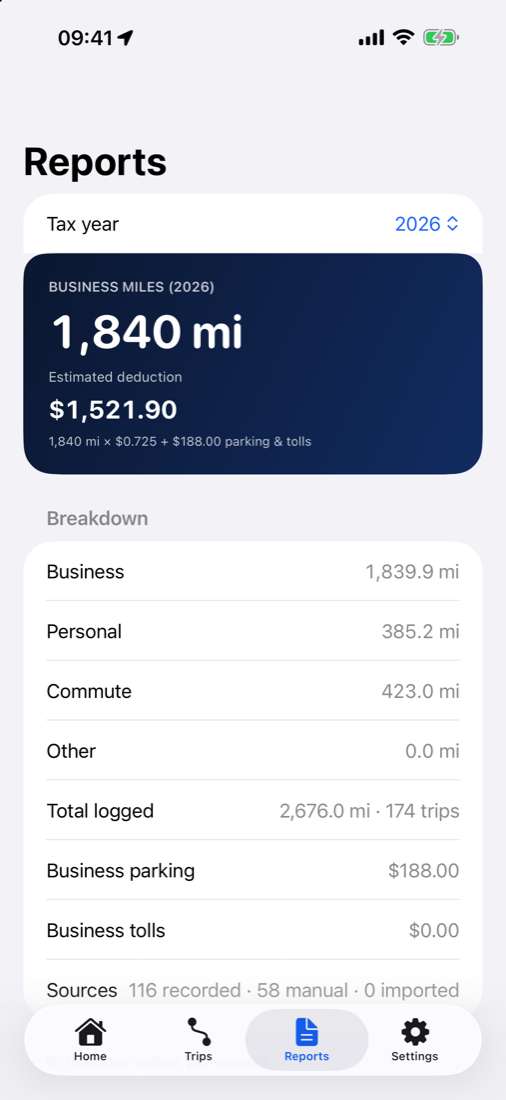
The home screen keeps a running estimate of this year’s deduction.
- Built-in IRS standard mileage rates per business mile: 2023 65.5¢, 2024 67¢, 2025 70¢, 2026 72.5¢
- Set a custom rate for any year
- Deduction = business miles × rate + business parking and tolls
The deduction is an estimate. MileCerta is not tax advice and is not IRS-certified. Read our mileage guide.
8 · Trust
Audit history and reminders
Append-only audit history
Every edit to a trip is recorded and never overwritten, so your log shows what was captured at the time and what you changed later. Export it as CSV.
Daily review reminder
A local notification, scheduled on your iPhone, reminds you to classify the day’s drives. You can turn it off at any time.
Tracking diagnostics
A log of detection events helps explain a missed drive, and helps us if you contact support.
9 · Optional account
Free account: sync, backups and notifications
Everything above works without an account. Create a free one if you want your log on more than one iPhone or safely backed up.
Continuous cloud sync
Trips with routes, places, vehicles, rules, edit history, settings and tracking diagnostics sync while you’re signed in.
Restore points
Back up with a tap and restore any of your newest 30 backups. Pro adds automatic daily backups.
Notifications
Weekly mileage summary on Mondays, backup reminders and a month-end report reminder. Product news only if you opt in.
Messages and profile
An in-app messages inbox, and a profile that follows you to your other devices.
Account controls
Change your password or delete your account in the app. Signing out can keep or remove the data on that iPhone.
Private by design
No ads, no third-party analytics, no data selling. Synced data is hosted in the EU. Privacy policy.
See it on your own drives
Join the TestFlight beta. Free includes 20 automatic drives a month and every export.